


Choosing the wrong WordPress quiz plugin can waste your time, drain your money, and leave you stuck with a tool you regret buying. One plugin here made the choice easier than I expected. It wasn’t even the one I thought would win at the start.
Search that phrase on Google and you’ll get dozens of “top 10” lists. Most of them read like they were written from a homepage, not from actually using the tool. A one-paragraph summary. A generic “great for beginners” line. No real detail.
I wanted something different. So I looked closely at 8 of the most popular WordPress quiz plugins and quiz add-ons. I checked the exact question types, the exact add-ons, and the exact prices. Then I wrote down exactly what I found. If a feature wasn’t confirmed in a plugin’s own documents, I say so instead of guessing. If a competitor beats QuizPress at something, I say that too. But by the end of the table below, one plugin comes out clearly ahead.
This guide compares every plugin feature by feature, not just with a “Best For” tag. You’ll see exactly which question types, certificates, and integrations each one has. Want the short version first? The vendor-neutral buying guide for choosing a WordPress quiz plugin covers the basics in a few minutes. The complete product overview is the fastest way to learn about QuizPress itself.
Quick answer: if you want one plugin for quizzes, exams, surveys, and polls — with certificates and WooCommerce selling built in — QuizPress is the best overall pick. Four of the seven other plugins in this guide don’t even include quiz features in their free version. QuizPress does. Keep reading for the full breakdown.
At a Glance: The Full Feature Comparison
Most “best quiz plugin” posts compare price and stop there. Here’s every plugin checked against 12 things that actually matter, one feature per row, so you can scan straight across.
|
Feature |
QuizPress |
Quiz and Survey Master (QSM) |
WPForms |
Thrive Quiz Builder |
Formidable Forms |
HD Quiz |
Gravity Forms |
Riddle |
|
Free plan includes quizzes |
Yes, no quiz-count cap found |
Yes, unlimited quizzes |
No |
No |
No |
Yes, full free core |
No |
Trial only |
|
Question types |
19 (9 free, 10 Pro) |
12+ |
3 quiz modes, built from standard form fields |
3 |
Standard form fields (radio, checkbox, dropdown, math) |
~5 |
3 (dropdown, radio, checkbox) |
15 (35+ on Enterprise) |
|
Certificates |
Yes (Pro) |
Yes, paid Certificate add-on |
Not found in docs |
Not found in docs |
Not found in docs |
No, not even on the paid add-on |
Not found in docs |
Not found in docs |
|
Sell quizzes (WooCommerce) |
Yes (Pro) |
Yes, paid WooCommerce add-on |
No |
No |
No |
No |
No |
No |
|
LMS integration |
Yes, built in with Academy LMS |
Compatible with LearnDash (setup guide, not built in) |
No |
Not confirmed |
Not confirmed |
No |
Not confirmed |
No |
|
AI question generation |
No |
Yes |
Yes |
Not found in docs |
No |
No |
No |
Yes |
|
Exam timer |
Yes |
Yes, more control via paid add-on |
Yes |
Yes |
Yes |
Yes, free |
Not found in docs |
Not found in docs |
|
Leaderboard |
Yes |
Yes, paid add-on |
Not found in docs |
Not found in docs |
Not found in docs |
Yes, paid add-on only |
Not found in docs |
Yes |
|
Question bank |
Yes |
Not found in docs |
Not found in docs |
Not found in docs |
Not found in docs |
No |
Not found in docs |
Not found in docs |
|
Manual grading |
Yes |
Yes, paid add-on |
Not found in docs |
Not found in docs |
Not found in docs |
No |
No, auto-graded only |
No |
|
Starting price |
$79 |
$149/year |
$199.50/year |
$199/year |
$79.50+/year |
Free (add-on priced separately) |
$259/year |
~$69/month |
|
Billing |
One-time |
Subscription |
Subscription |
Subscription |
Subscription |
Free / paid add-on |
Subscription |
Subscription |
A few things jump out here: Four plugins — WPForms, Thrive Quiz Builder, Formidable Forms, and Gravity Forms — don’t include any quiz feature in their free plan. You’d need to buy a subscription before you could even try quizzing with them.
Of the three that do have a free quiz option, only QuizPress bundles certificates, WooCommerce selling, a question bank, and manual grading into the same product. QSM offers most of the same things, but each one is a separate paid add-on on top of its subscription.
How I built this table: I checked every cell against that vendor’s own pricing page, feature page, or add-on documentation. I didn’t rely on other “best of” articles for this, since copied mistakes are common in this space. I’ve personally used QuizPress in depth. I have not personally installed and tested the seven competitor plugins — this is a documentation comparison for those, not a hands-on review, and I’d rather say that plainly than pretend otherwise.
How I Compared These Plugins
Every plugin here was checked against the same 12 things shown in the table above.
Does the free plan include quizzes at all? Four of the seven competitors don’t. How many question types, and how many need a paid tier? Are certificates included? Can you sell quiz access? Is there real LMS integration, or just a setup guide? Does it have AI question generation? What about a timer, leaderboard, question bank, and manual grading — included, or a separate purchase? And is pricing one-time or a subscription, once you add up what the add-ons actually cost?
I checked every competitor claim against that vendor’s own pricing page, feature page, or add-on docs. I didn’t lean on other “best of” articles for this, since copied mistakes are common in this exact kind of content. I’ve caught one myself in an earlier post, so I’m not claiming immunity from the risk — only that I checked directly this time.
I’ve used QuizPress in depth myself. I have not personally installed and tested the seven competitors. Where a feature wasn’t confirmed in a vendor’s own docs, the table says “Not found in docs” instead of assuming it’s missing.
This isn’t just a competitive exercise, either. Quizzes convert far better than static content when used for lead generation. One 2026 industry report on quiz performance found an average quiz start-to-lead conversion rate of roughly 40%, described as 10 to 15 times better than a standard contact form. Which specific features a plugin has — a question bank, a timer, a certificate — has a real, measurable effect on whether you actually get that kind of engagement.
1. QuizPress — Best Overall WordPress Quiz Plugin
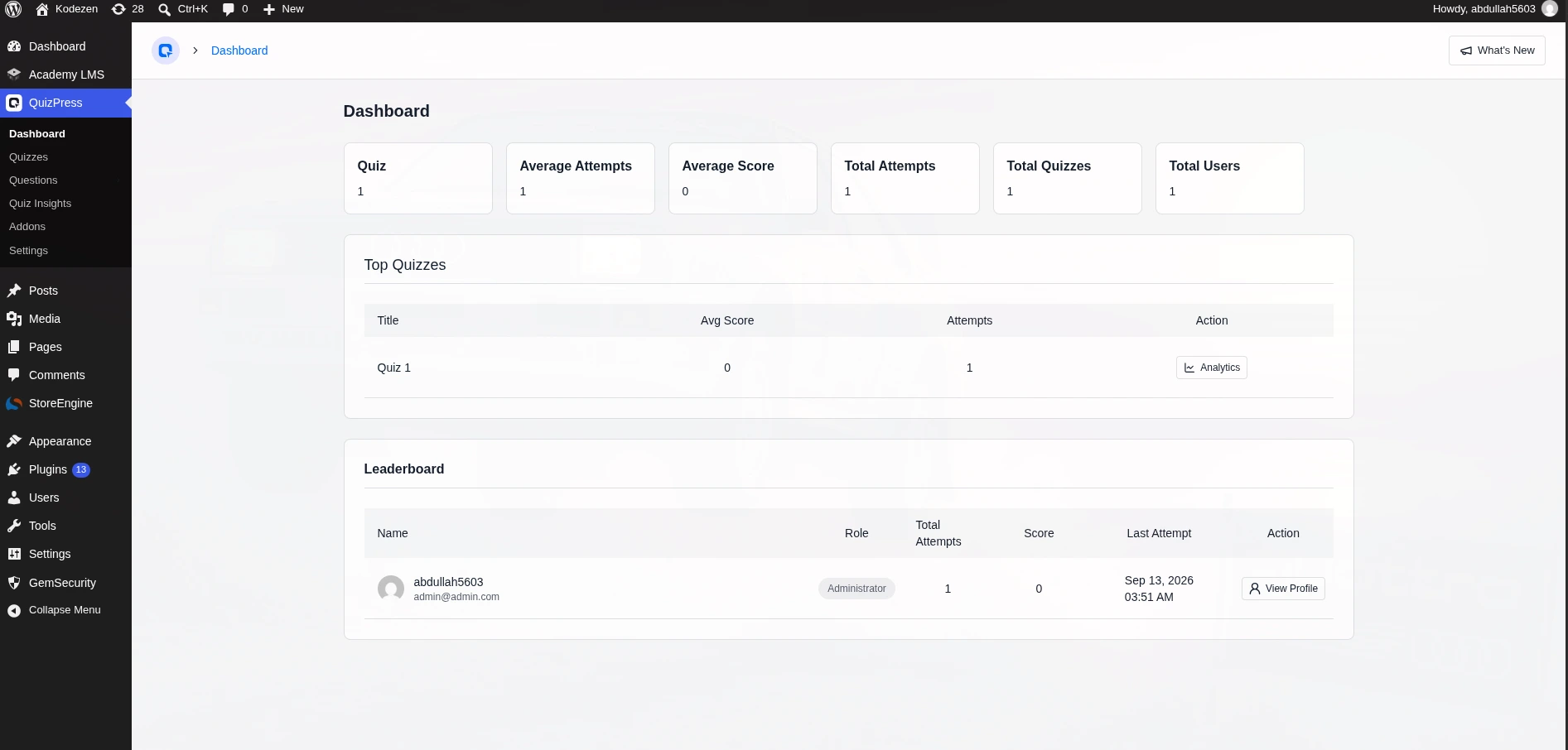
QuizPress is a quiz, exam, survey, and poll builder for WordPress. It uses a modern admin screen instead of the messy layouts a lot of older quiz plugins still have.
Instead of buying one plugin for quizzes, another for surveys, and a third for certificates, everything sits inside one tool. One price. No add-on marketplace to shop through just to unlock a leaderboard.
I’ve spent real time inside QuizPress’s builder. This section comes from actually using it, not just reading about it.
The builder walks you through three steps: Quiz Info, Questions, Settings. It saves as you go, so a half-finished quiz doesn’t vanish if you get pulled away. You can build four different content types from the same screen — Exam, Survey, Poll, and Quiz. Most competitors on this list are built around just one of those. If surveys and polls are actually your main goal, best WordPress plugins for surveys and polls covers dedicated tools for that too.
Question types. This is where QuizPress is strongest. There are 19 question types in total. 9 are free: Single Choice, Multiple Choice, True/False, Number, Paragraph, and a few more. 10 are Pro. These include Dropdown, Fill-in-the-Blanks, File Upload, and seven real interactive formats added in version 1.4.0 — Ordering, Puzzle, Matching, Pin, Image Marking, Range, and Graph.
These aren’t just multiple choice with a new skin. Image Marking lets someone click a spot on a photo. Graph places a point on a coordinate grid. Ordering and Puzzle use real drag-and-drop. None of the seven competitors I checked have anything like this. QSM comes closest with 12+ types, but they’re mostly form-style fields. Every type gets its own breakdown in WordPress quiz question types explained.
Certificates and selling quizzes. There’s a block-based certificate builder (Pro) that issues a certificate automatically once someone finishes a quiz. There’s also a WooCommerce integration (Pro) for selling access to a quiz, or selling the certificate itself, as a product.
You can build a paid course quiz, lock it behind a purchase, and give a certificate for finishing it — all from one plugin. QSM is the only other plugin I checked that offers something similar, and it splits this across two separate paid add-ons instead of one. The exact setup is in how to sell quiz certificates in WordPress with WooCommerce.
Analytics, grading, and engagement. The free plan already includes an analytics dashboard — total quizzes, attempts, average scores, trends over time. It also includes a leaderboard widget and manual grading for open-ended or essay answers, reviewable question by question.
QSM offers similar depth, but spread across three separate paid add-ons instead of one product. I go through what each tool actually tracks in WordPress quiz analytics, grading, and engagement tools.
Question bank. You can build a question once and reuse it across any quiz, exam, or survey. Import and export are included, and it’s on the free plan. None of the seven competitors I checked confirm anything like this in their own docs.
LMS integration. QuizPress connects to Academy LMS. A quiz can sit inside a course as a graded curriculum item, with results and completion tracking handled entirely by QuizPress. QSM is the only competitor with any LMS story at all, and it’s a setup guide for connecting to LearnDash, not something built in from the start.
Where it falls short. No AI question generation — QSM, WPForms, and Riddle all have this. It’s a newer plugin than QSM or HD Quiz, so there are fewer public examples online. Its deepest features — interactive question types, certificates, WooCommerce selling — need the paid version. That’s true for every competitor’s certificate or selling feature too, not just QuizPress’s.
Who It’s For
QuizPress fits best if you need more than one quiz format. Schools and course creators running real exams. Marketers who also want surveys and polls. Anyone planning to eventually sell a quiz or a certificate, even if that’s not day one. Running a membership or course site specifically? Best WordPress quiz plugin for membership sites covers that angle in more depth.
If you only need one free quiz on one page, with zero plans to ever sell or certify anything, a lighter tool might take less setup effort — not necessarily less money in the end. More on that below.
Pros:
Cons:
Pricing: one-time payment, no subscription. Individual is $79 for 3 sites. Business is $129 for 10 sites. Agency is $249 for unlimited sites. Every tier unlocks every add-on — it’s not a feature ladder. All plans come with a 14-day money-back guarantee. Full details on the pricing page.
There’s no “renews every year or stops working” clock in the background. That alone sets it apart from every subscription plugin in this guide.
Verdict: more question types than anything else here, plus certificates, selling, and grading built in — for a one-time price while every other real option bills every year.
The full feature list covers everything above in more depth. Installation and activation gets a fresh install running fast, and how to create a quiz in WordPress without any coding covers building a first quiz step by step.
2. Quiz and Survey Master (QSM) — Most Generous Free Plan, Priciest to Fully Unlock
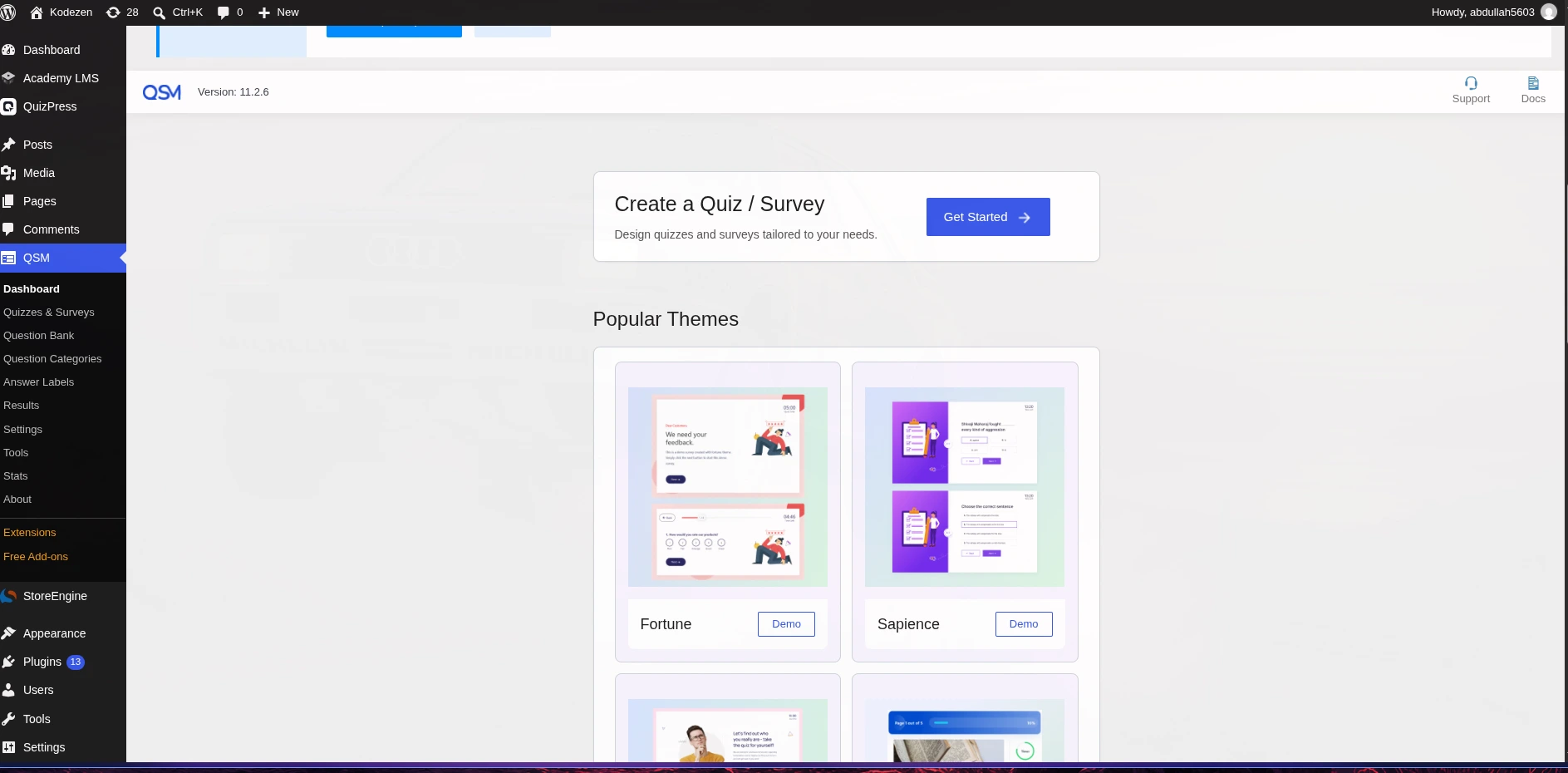
QSM has been around for years. It earned its following largely because the free version genuinely includes a lot — unlimited quizzes, 12+ question types, and basic reporting, with no cap on how many quizzes you make.
My Take
I dug into QSM’s own documentation and pricing pages, rather than installing it myself, so treat this as a close read of what QSM says about itself, not a hands-on trial.
The free core covers customizable results screens, category-based question organization, a countdown timer, and email-marketing hookups. That’s a genuinely solid free foundation.
Where it gets expensive is everything past that. Certificates sit behind a paid Certificate add-on. Leaderboards need the paid Leaderboard add-on. Tracking average scores across users needs the paid Gradebook add-on. Precise timer control (hours, minutes, seconds) needs the paid Advanced Timer add-on, on top of the simpler free countdown. Selling quizzes needs the paid WooCommerce Integration add-on — which does something genuinely clever, recommending store products to a quiz-taker based on their results.
QSM also connects to LearnDash through a documented setup process, and it offers AI-assisted question generation, which QuizPress doesn’t have yet.
Here’s the catch. QSM’s advertised $149/year doesn’t include certificates, a leaderboard, or a gradebook. Those cost extra. Even the pricier Plus and Pro tiers ($199–$249/year) bundle in more add-ons — but you’re still paying every year for things QuizPress includes once, for a lower price, for good.
Who It’s For
QSM makes sense if you specifically want its LearnDash setup or its AI question generation, and you don’t mind managing (and paying for) a stack of add-ons instead of one bundled product.
Pros:
Cons:
Weighing QSM against QuizPress specifically? Best Quiz and Survey Master alternatives goes deeper on the trade-offs.
3. WPForms (Quiz Addon) — Best If You Already Use It for Forms
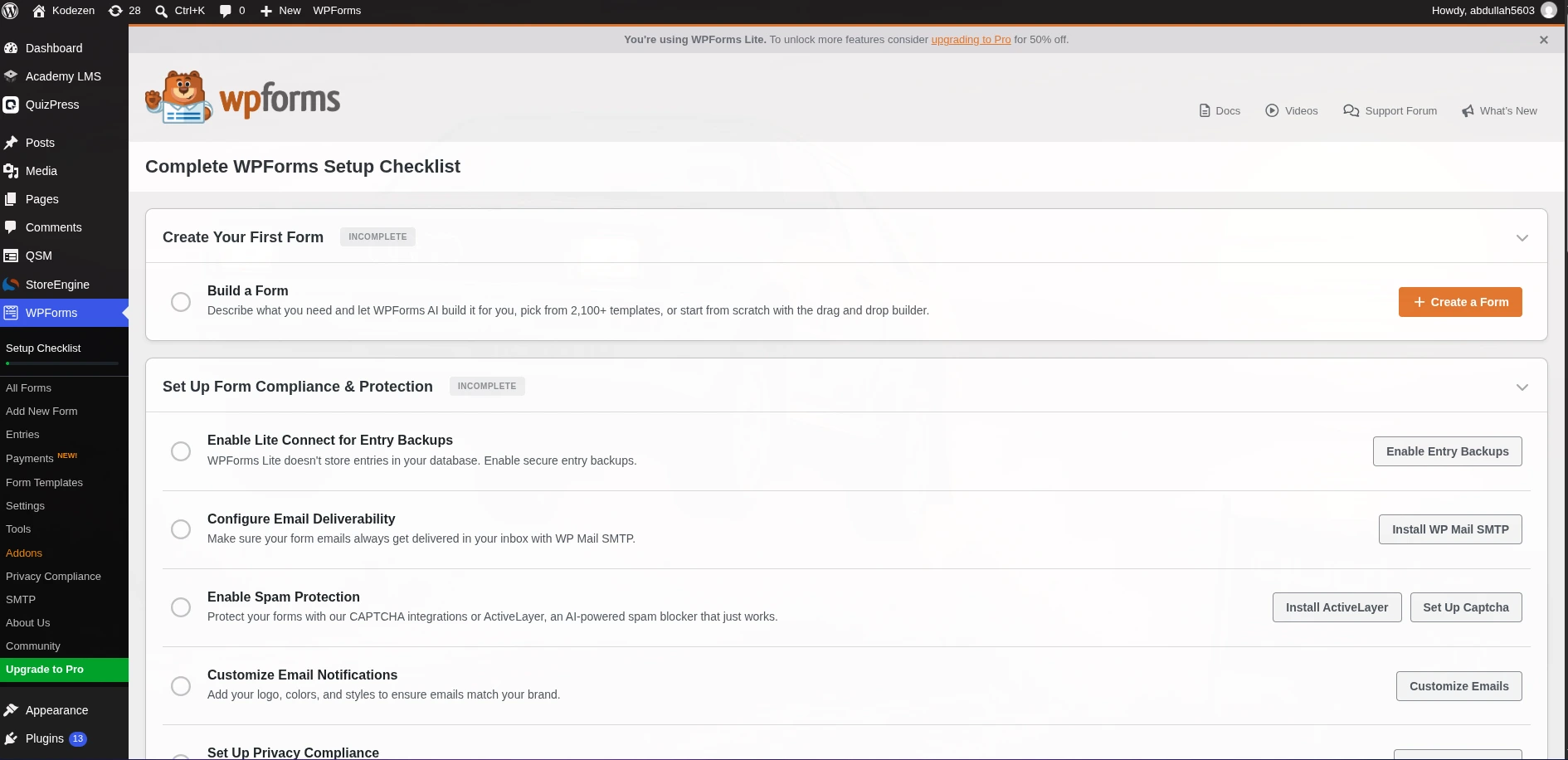
WPForms is a form builder first. Quizzes live inside it as a dedicated Quiz Addon, built for lead-generation and scored quizzes rather than exams or courses.
My Take
This one comes from WPForms’ own feature pages and add-on docs, not a hands-on install.
The Quiz Addon supports three quiz types: graded quizzes for knowledge checks, personality quizzes for lead-gen, and weighted quizzes for more nuanced scoring. It builds these from WPForms’ standard form fields, not a dedicated question-type library.
It does have AI-powered quiz generation — describe what you want, and it builds a working quiz in under a minute. There’s a real timer with configurable behavior when time runs out: auto-submit, lock the remaining questions, or end the quiz outright. Results come with charts showing how people answered each question.
Its real strength is what it plugs into. Salesforce, HubSpot, Zoho, most major email tools, Stripe, PayPal, Square, Authorize.Net, and open Zapier support. This is a marketing tool with a quiz layer, not the other way around.
What I couldn’t confirm anywhere in its docs: certificates, a question bank, a leaderboard, or a way to sell access to a quiz as a product. The Quiz Addon itself needs WPForms Pro or higher — it’s not on the lower tiers.
Who It’s For
Teams already on WPForms for lead capture, payments, and CRM syncing, who want to bolt a scored or personality quiz onto that same setup.
Pros:
Cons:
For a beginner-friendly comparison across a wider set of tools, beginner-friendly quiz maker comparison covers more ground than this section alone.
4. Thrive Quiz Builder — Best for Marketing Funnels
Thrive Quiz Builder is part of the Thrive Suite. It’s built almost entirely around scored, outcome-based quizzes for lead generation — a marketing tool, and it doesn’t pretend to be anything else.
My Take
Based on Thrive’s own product and pricing pages, not a hands-on test.
The question types are narrow on purpose: Multiple Choice with buttons, Multiple Choice with images, and Open-Ended. Three formats, all built to move someone through a branching quiz flow.
Its best feature is visual branching logic. You can map an entire quiz path like a flowchart — “if they answer X, show outcome Y” — without touching code. There’s a countdown timer for urgency too.
I couldn’t confirm certificates, a leaderboard, or native LMS integration anywhere in its docs. That tracks with its marketing-first focus.
Pricing gets complicated fast. The standalone plugin runs about $199/year for one site. Full value really means Thrive Suite membership, around $299/year to start, which bundles all 8 Thrive tools — worth it only if you want the other seven too.
Who It’s For
Marketers running lead-gen or audience-segmentation quizzes inside a Thrive Suite funnel. Not a fit if you need exams, certificates, or course assessments.
Pros:
Cons:
Full breakdown in QuizPress vs Thrive Quiz Builder.
5. Formidable Forms (Quiz Maker) — Best for Complex Form Logic
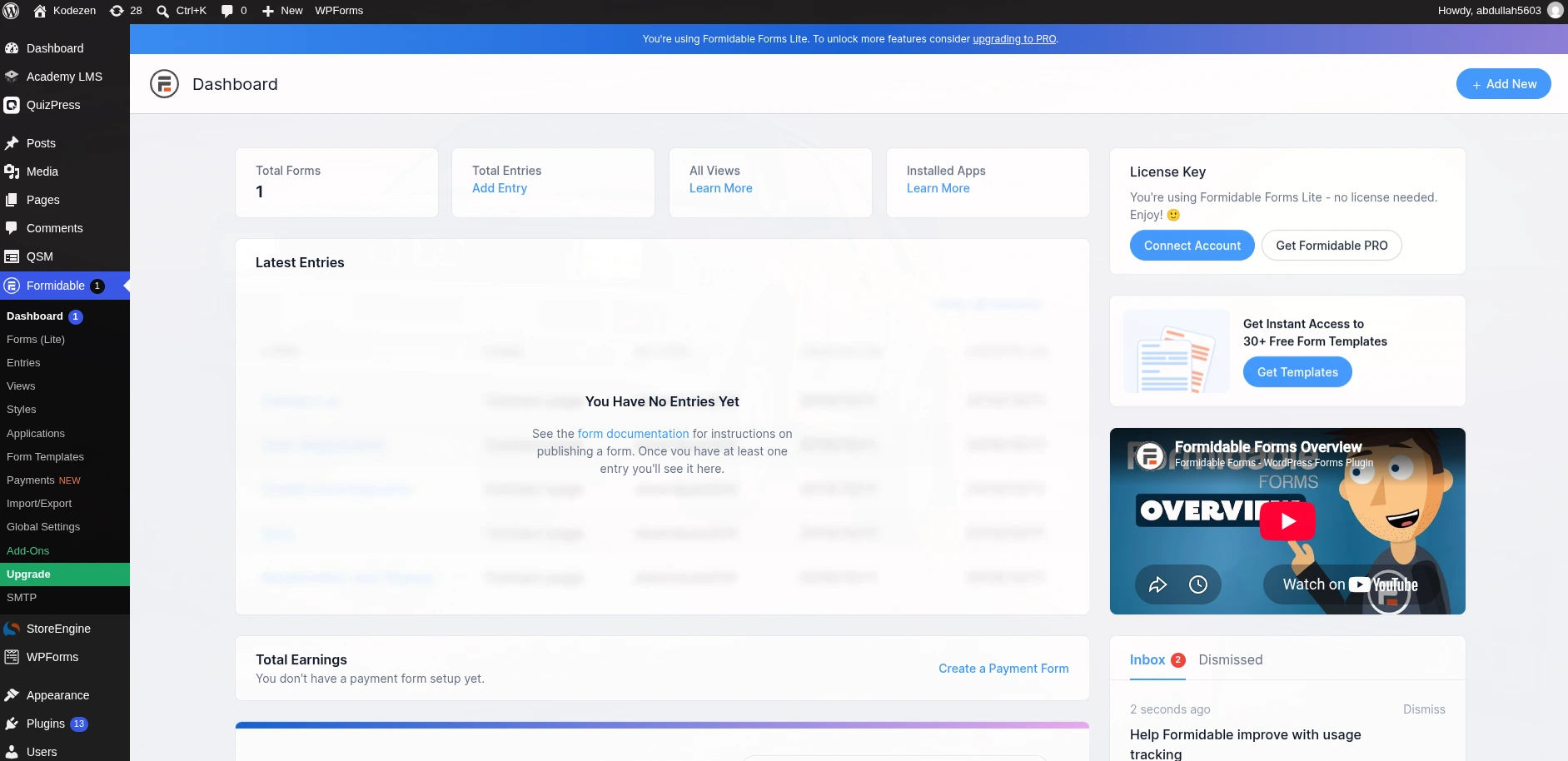
Formidable Forms is a general-purpose form and app builder. Its Quiz Maker add-on fits people who need conditional logic and calculations more than dedicated quiz features.
My Take
From Formidable’s own feature and pricing pages, not a hands-on install.
Quiz Maker auto-scores submissions by assigning points to answers and totaling them on submit. It uses Formidable’s own field types — radio buttons, checkboxes, dropdowns, math fields — rather than purpose-built quiz questions.
It handles scored tests, personality quizzes, or product-recommendation quizzes. Multi-page quizzes keep long assessments from feeling like one huge page. A quiz-timer toggle was added in a recent update.
Its real strength is the calculations and logic engine underneath — genuinely stronger for complex branching math than most dedicated quiz plugins bother building. I couldn’t confirm certificates, a leaderboard, a reusable question bank, or manual grading anywhere in its docs.
Quiz Maker needs a Business license or higher. Reported pricing varies by source, roughly $79.50 to $199.50 a year depending on where you look — worth double-checking directly before buying.
Who It’s For
Teams already using Formidable for other forms, who want scored quizzes on the same system, especially when complex scoring logic matters more than certificates or a question bank.
Pros:
Cons:
Full comparison in QuizPress vs Formidable Forms.
6. HD Quiz — Best Truly Free Option
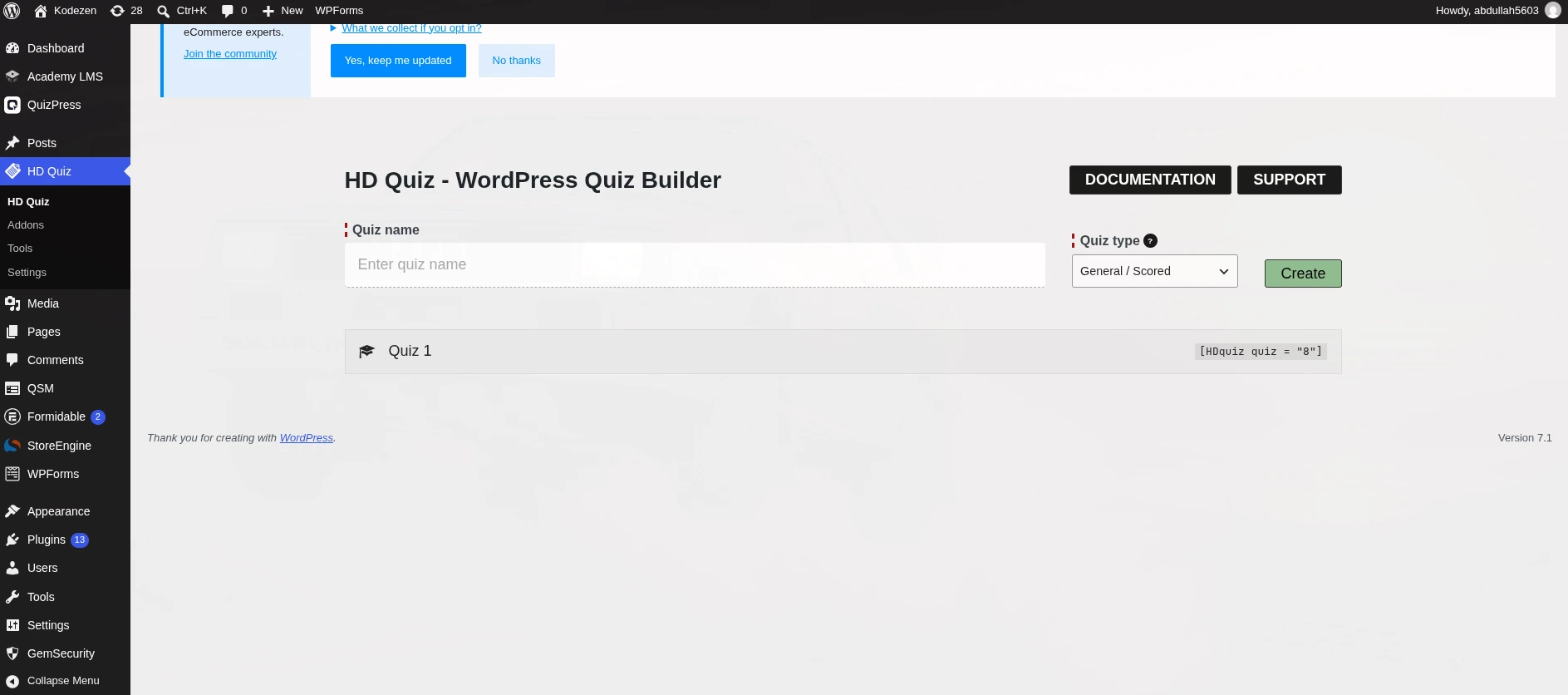
HD Quiz is a light, no-frills quiz builder. Its core plugin stays genuinely free, which makes it a fair pick if you need a simple quiz and have zero budget.
My Take
Based on HD Quiz’s own plugin listing and add-on pages, not a hands-on install.
The free core covers two quiz types — regular scored quizzes and personality quizzes — with around five question formats: multiple choice (text or image), select-all (text or image), and text input. The timer is free too, with both per-quiz and per-question limits.
By default, HD Quiz doesn’t track any results at all. A free add-on, HD Quiz – Save Results Light, adds basic score and completion tracking. Deeper reporting — saving names and emails, custom fields, emailed results, filtering, and a leaderboard — needs the paid Save Results Pro add-on.
One thing worth knowing: even the paid add-on doesn’t add certificates. HD Quiz has no certificate feature at any tier.
Who It’s For
Anyone who wants one simple quiz on one page, no budget, and no plans to certify, sell, or deeply analyze results. A class project, a fun one-off quiz, a light engagement widget.
Pros:
Cons:
Full trade-off breakdown in QuizPress vs HD Quiz. Comparing it against other free-only picks specifically? Top free WordPress quiz plugins lines them up side by side.
7. Gravity Forms (Quiz Add-On) — Best for Existing Gravity Forms Users
Gravity Forms is a well-regarded, enterprise-grade form plugin. Its Quiz Add-On sits behind the top pricing tier, so it only really makes sense if you already run Gravity Forms for everything else.
My Take
From Gravity Forms’ own add-on documentation, not a hands-on install.
The Quiz Add-On offers three field types: Dropdown, Radio Buttons, and Checkboxes. Scoring is either simple (1 point per correct answer) or weighted for more complex grading. You can grade Pass/Fail with a set passing percentage, or use a Letter Grade system. A built-in dashboard shows average scores and grade breakdowns.
What it doesn’t do: any manual grading for open-ended answers, no confirmed timer, no leaderboard, and no built-in certificate feature. Third-party tools exist to generate a PDF certificate from a submission, but that’s an outside integration, not something Gravity Forms itself does.
The Quiz Add-On is only on the Elite (or Nonprofit) license, Gravity Forms’ most expensive tier at roughly $259/year. There’s no free plan at any tier.
Who It’s For
Organizations already running Gravity Forms for other forms — applications, registrations, payments — who want basic auto-graded quizzes on the same familiar builder.
Pros:
Cons:
Looking at more general alternatives beyond this list? 7 best quiz maker alternatives for WordPress covers a wider set of tools.
8. Riddle — Best Hosted/SaaS Option
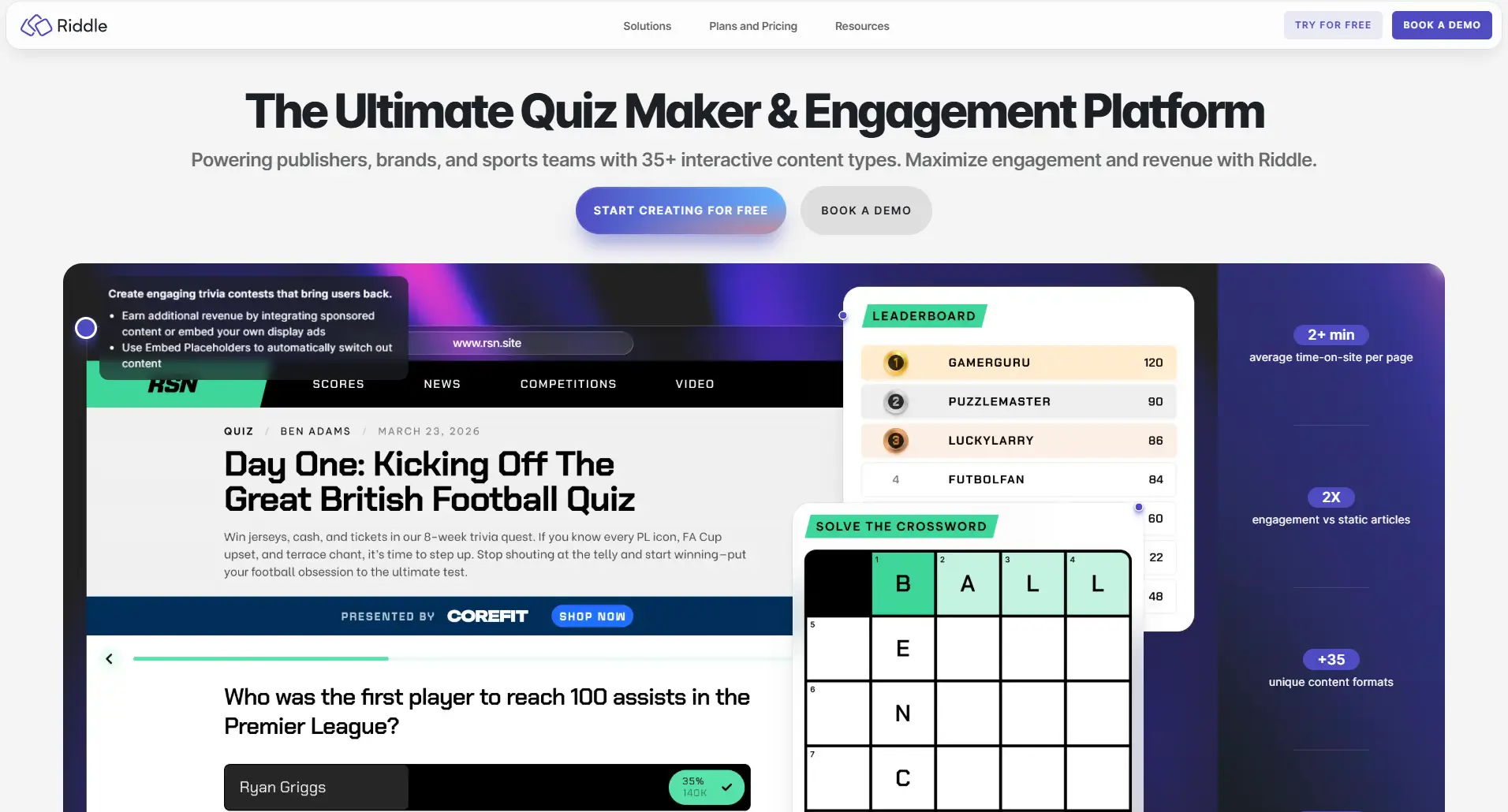
Riddle takes a different approach. It’s a hosted platform with a polished quiz and personality-test builder that you embed into WordPress, instead of a plugin that stores your data on your own site.
My Take
From Riddle’s own site and pricing pages, not a hands-on install.
Riddle supports 15 content formats out of the box — quiz, poll, survey, predictor, leaderboard, and more — expanding to 35+ on its Enterprise tier. That’s the broadest raw format count I found, though a lot of those are polls, surveys, and lists, not gradable quiz questions.
It has an AI Quiz Maker for fast content generation, native leaderboards, branching logic for personalized question paths, and rich media in questions — images, video, GIFs, audio. Everything is built visually on Riddle.com, then embedded into WordPress with a shortcode or a Gutenberg block. The building and storage happen on Riddle’s platform, not inside your WordPress install.
I found no certificate feature, no WooCommerce-style selling, and no confirmed timer or manual grading anywhere in its docs.
Pricing runs on a monthly plan: Essential from around $69/month, up to $129 (Pro), $299 (Business), and $799+ (Enterprise). That’s meaningfully more than any WordPress-native plugin here, including QuizPress’s one-time cost, within just a few months of use.
Who It’s For
Marketing teams running the same quiz across multiple websites, not just one WordPress site, who value Riddle’s polished templates and sharing features enough to pay a monthly bill instead of buying a plugin once.
Pros:
Cons:
What Each Plugin Actually Costs Over 3 Years
Every comparison so far has used the “starting price” you’d see on a pricing page. That number is misleading on its own, because a subscription doesn’t stop at year one. Here’s what 3 years of actually keeping each plugin updated and supported really costs, based on the pricing researched for this guide.
|
Plugin |
Year 1 |
Year 2 |
Year 3 |
3-Year Total |
|
QuizPress (Individual) |
$79 |
$0 |
$0 |
$79 |
|
HD Quiz (core) |
$0 |
$0 |
$0 |
$0 (Save Results Pro add-on priced separately, not published) |
|
Formidable Forms (Quiz Maker, low end) |
$79.50 |
$79.50 |
$79.50 |
~$238.50 |
|
Quiz and Survey Master (Basic) |
$149 |
$149 |
$149 |
~$447 |
|
Thrive Quiz Builder (standalone) |
$199 |
$199 |
$199 |
~$597 |
|
WPForms (Pro, quiz-capable tier) |
$199.50 |
$399 |
$399 |
~$997.50 |
|
Gravity Forms (Elite, required for Quiz) |
$259 |
$259 |
$259 |
~$777 |
|
Riddle (Essential) |
~$828 |
~$828 |
~$828 |
~$2,484 |
These are minimum, entry-tier figures — several plugins get more expensive once you add the paid add-ons needed for certificates, a leaderboard, or selling access (QSM in particular). Confirm current renewal pricing directly with each vendor; subscription pricing changes more often than one-time pricing by definition.
Look at where the gap ends up by year three. QuizPress costs $79, once, ever. Formidable costs three times that. QSM costs nearly six times that. Riddle costs more than thirty times that, and its price is a recurring monthly bill that never stops.
None of the plugins in this comparison publish a table like this themselves, for an obvious reason — a subscription’s real cost only looks bad once you add it up. A one-time price doesn’t have anything to hide.
If a plugin only needs to run for a single semester or a single campaign, a subscription’s higher cost matters less. If it’s going to sit on your site for years, the math above is the actual decision, more than any single feature in the table earlier.
Quiz Formats You Can Build, and How to Get One Live
Picking a plugin is only half the job. Most people asking “what’s the best WordPress quiz plugin” also want to know what kind of quiz they’re actually building, and how it ends up on a page. Neither question gets a real answer in most roundups.
Which quiz format fits your goal
A personality quiz (“What kind of leader are you?”) sorts someone into an outcome based on their answers, rather than grading them right or wrong. Thrive Quiz Builder and Interact Quiz Maker are built specifically around this branching-outcome logic, and they’re genuinely the strongest picks for it. QuizPress can approximate a personality-style result using its scoring and custom result screens, but outcome branching isn’t its focus the way it is for those two.
A BuzzFeed-style quiz — image or GIF-heavy, built purely for shares — leans on the same outcome-based engine as a personality quiz, just with more visual questions. The same two tools lead here for the same reason.
A graded exam or certification test is where the picture flips. This needs real question-type variety, a timer, a pass/fail threshold, and often a certificate at the end. This is exactly what QuizPress’s 19 question types, built-in timer, and certificate builder are built for — how to make an online exam in WordPress with a timer walks through that specific setup — and it’s the format most of the lead-generation-focused tools on this list (WPForms, Thrive, Formidable) don’t cover well, because certificates and detailed grading were never their goal.
A lead-generation quiz for an email list sits closer to the personality-quiz end — the “result” is really a form gated behind a few questions. WPForms, with its native CRM and email integrations, is a strong fit here.
A survey or poll — gathering opinions, not scoring anyone — is its own category. QuizPress handles this as one of its four built-in content types (Exam, Survey, Poll, Quiz) from the same builder, so switching between a graded quiz and a plain survey doesn’t mean switching plugins.
Getting a quiz onto a page
Once it’s built, a quiz needs to actually show up somewhere. The common methods across WordPress quiz plugins in general are:
[quizpress_quiz quiz_id="15"].For most sites, the direct link or the shortcode block covers it — a widget or popup matters more for a lead-capture quiz on a marketing site than for a graded exam or course assessment, which is usually meant to be found on its own page, not popped up over one.
Which WordPress Quiz Plugin Should You Choose?
Final Verdict
If your site needs more than one throwaway quiz — real exams, surveys, polls, certificates, or a way to sell access to your content — QuizPress is the only plugin here that does all of that from one dashboard, at a one-time price, without buying a separate add-on for every feature.
The one honest exception is AI question generation, where QSM, WPForms, and Riddle currently lead. Worth factoring in if that specific feature matters to you.
The full feature list and pricing are worth a look. Every plan has a 14-day money-back guarantee, so there’s little risk in trying it.
Frequently Asked Questions
What is the best WordPress quiz plugin in 2026?
For most sites, QuizPress. It combines quizzes, exams, surveys, and polls in one plugin. Certificates, WooCommerce selling, a question bank, and manual grading are all included, not sold as add-ons. It’s a one-time price, not a yearly subscription.If you only need a very basic free quiz with no grading or selling, a lighter tool like HD Quiz might genuinely be enough. The table above is built so you can check that for yourself.
Is there a free WordPress quiz plugin?
Yes, but not all “free” plugins are equal. QuizPress, QSM, and HD Quiz all include real quiz features in their free version. WPForms, Thrive Quiz Builder, Formidable Forms, and Gravity Forms all require a paid tier before you can even try quizzing.QuizPress’s free tier includes 9 question types, a question bank, manual grading, and a leaderboard. Interactive question types, certificates, and WooCommerce selling are part of the paid version. Full specifics in free vs. paid comparison.
Which WordPress quiz plugin has the most question types?
QuizPress, with 19 documented types total, 9 free and 10 Pro. That includes seven interactive formats — Ordering, Puzzle, Matching, Pin, Image Marking, Range, and Graph — that I couldn’t find an equivalent for on any competitor checked here. QSM is next with 12+, then Riddle with 15 content formats (though many of those are polls and lists, not gradable quiz questions).
Does any WordPress quiz plugin have AI question generation?
Yes. QSM, WPForms, and Riddle all offer AI-assisted question or quiz generation. QuizPress doesn’t have this yet. It’s the biggest gap I found against QuizPress while researching this guide, and worth weighing if auto-generating questions matters to you.
Can I sell quizzes or certificates through a WordPress quiz plugin?
Yes. QuizPress does this natively, through its certificate builder and WooCommerce integration — charge for quiz access, or issue a paid certificate after completion. QSM offers something similar through two separate paid add-ons. Most of the rest — WPForms, Thrive Quiz Builder, Formidable Forms, HD Quiz, Gravity Forms, and Riddle — don’t have a confirmed native way to sell quiz access or certificates. Setup steps are in selling quizzes in WordPress.
What’s the difference between a quiz plugin and a form plugin with a quiz add-on?
A dedicated quiz plugin, like QuizPress or QSM, is built around scoring, question banks, certificates, and reporting from the start. A form plugin with a bolted-on quiz add-on — WPForms, Formidable Forms, Gravity Forms — reuses its general form fields instead of dedicated question types. It usually lacks certificates, leaderboards, or a reusable question bank, because quizzes were never the main product.
How do I create a quiz in WordPress without coding?
Most modern quiz plugins, QuizPress included, use a visual, wizard-style builder. No code needed. The step-by-step tutorial builds a first quiz in a few minutes.