

If you’re looking for a WordPress quiz plugin, QuizPress and Thrive Quiz Builder are two popular choices. Both plugins make it easy to create interactive quizzes, but they are built for different audiences. QuizPress is designed for educational quizzes, online exams, certifications, and a WordPress-native experience, while Thrive Quiz Builder focuses on lead generation, audience engagement, and marketing-driven quiz funnels.
Choosing the right plugin depends on your goals, as each offers a different set of features and strengths. Whether you need educational tools, marketing-focused features, WooCommerce integration, or advanced quiz functionality, understanding what each plugin offers will help you make an informed decision. In this comparison, we’ll evaluate QuizPress and Thrive Quiz Builder based on their features, ease of use, customization, integrations, pricing, and overall value to help you choose the best WordPress quiz plugin for your website.
QuizPress vs Thrive Quiz Builder at a Glance
QuizPress is a Gutenberg-native WordPress quiz plugin designed for creating quizzes, online exams, certification tests, surveys, and personality quizzes. It offers a WordPress-native editing experience, certificate support, WooCommerce integration for premium quizzes, and features tailored for educational and business use cases.
Thrive Quiz Builder is part of the Thrive Suite and is built primarily for marketers. It specializes in lead-generation quizzes, personality quizzes, audience segmentation, and conversion-focused quiz funnels, with powerful branching logic and marketing integrations.
Best Use Cases
|
Plugin |
Best For |
|
QuizPress |
Online courses, certification exams, educational quizzes, surveys, personality quizzes, and selling premium quizzes with WooCommerce |
|
Thrive Quiz Builder |
Lead-generation quizzes, personality quizzes, audience segmentation, marketing funnels, and email list building |
What Is QuizPress?
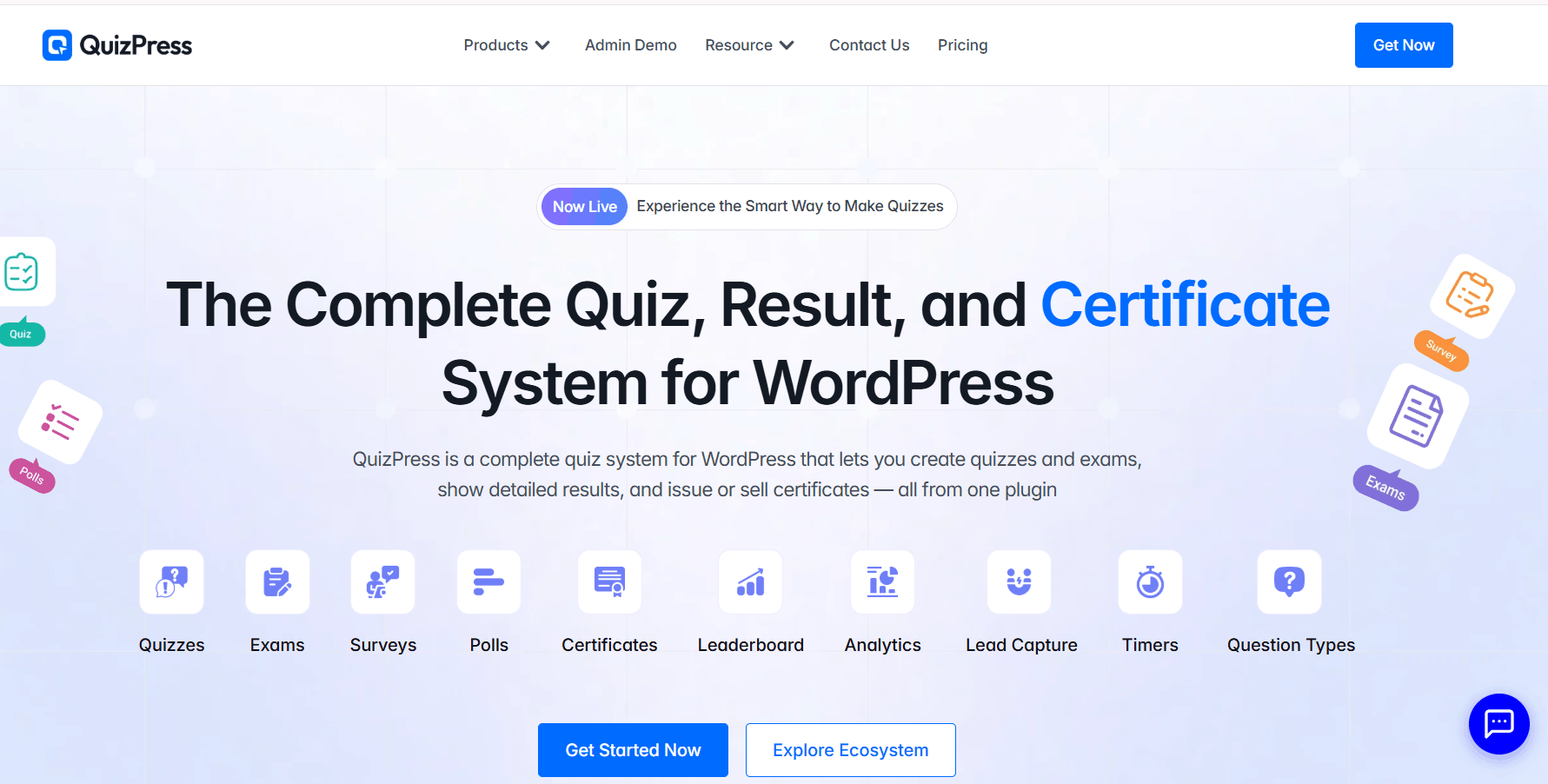
QuizPress is a WordPress quiz plugin that lets you create quizzes, exams, surveys, polls, and personality assessments directly inside WordPress. Built for the Gutenberg block editor, it provides a native WordPress experience for creating, managing, and publishing interactive quizzes without relying on a separate page builder.
Key Features
- Native Gutenberg block-based quiz builder
- 20+ question types, including multiple choice, true/false, fill-in-the-blank, short answer, file upload, and image-based questions
- Automatic scoring, grading, and detailed result pages
- Customizable certificate generation with automatic issuance after passing
- WooCommerce integration for selling premium quizzes and certificates
- Built-in analytics, question bank, and import/export tools
Ideal Users
QuizPress is ideal for educators, online course creators, training providers, businesses, and marketers who want to create interactive quizzes, certification exams, surveys, polls, or lead-generation quizzes on WordPress.
Strengths
- Built specifically for the WordPress Gutenberg editor
- Supports quizzes, exams, surveys, polls, and personality tests in one plugin
- Automatic certificate generation with customizable templates
- WooCommerce integration for monetizing quizzes and certificates
- Built-in analytics and a centralized question bank for easier quiz management
What Is Thrive Quiz Builder?
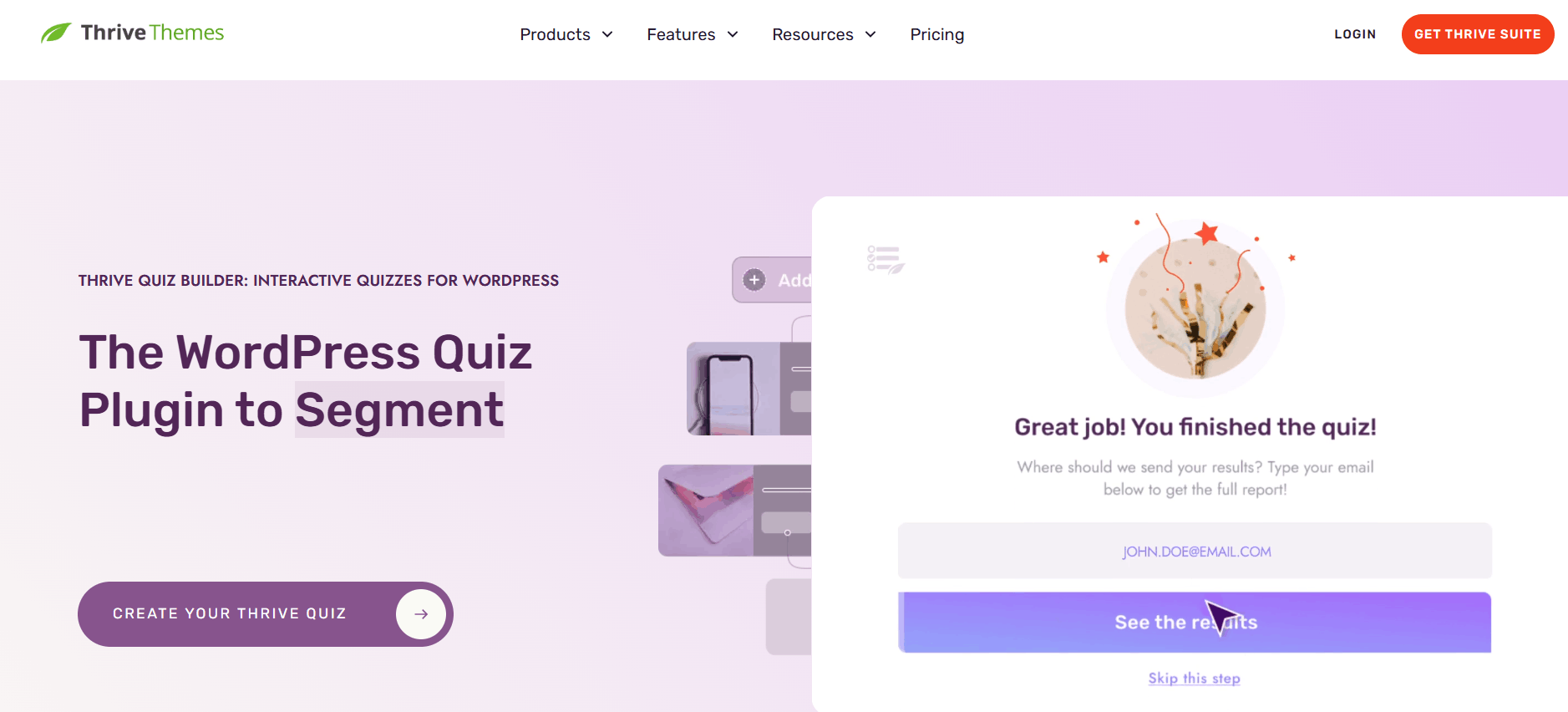
Thrive Quiz Builder is a WordPress quiz plugin developed by Thrive Themes and available as part of the Thrive Suite. It is designed primarily for marketers who want to create interactive quizzes that generate leads, segment audiences, and improve conversions. With its visual drag-and-drop builder and conversion-focused features, users can create quizzes without coding.
Key Features
- Visual drag-and-drop quiz builder
- Five quiz types, including scored, percentage, category, and survey quizzes
- Advanced branching logic for personalized quiz paths
- Opt-in Gate for capturing email subscribers
- Dynamic results pages based on quiz outcomes
- Email marketing integrations and audience tagging
- Built-in A/B testing and quiz analytics
- Ready-made quiz templates and customization options
Ideal Users
Thrive Quiz Builder is ideal for marketers, bloggers, agencies, and businesses that use quizzes to generate leads, grow email lists, segment audiences, and increase conversions. It is especially valuable for users already using other Thrive Suite products.
Strengths
- Powerful branching logic and personalized quiz experiences
- Conversion-focused features like Opt-in Gates and audience segmentation
- Built-in A/B testing to optimize quiz performance
- Seamless integration with the Thrive Suite ecosystem
- Beginner-friendly visual quiz builder with customizable templates
Comparison Table
|
Feature |
QuizPress |
Thrive Quiz Builder |
|
Ease of Use |
Beginner-friendly, Gutenberg-native interface |
Visual builder with a moderate learning curve |
|
Quiz Builder |
Native Gutenberg block builder |
Visual drag-and-drop quiz builder |
|
Question Types |
20+ question types |
Multiple-choice questions with multiple quiz types (Category, Number, Percentage, Right/Wrong, Survey) |
|
Personality Quizzes |
Supported |
Core feature with advanced branching logicCore feature with advanced branching logic |
|
Certificates |
Certificate support |
Not natively supported |
|
WooCommerce Integration |
Native WooCommerce integration |
No native WooCommerce integration |
|
Gutenberg Support |
Fully Gutenberg-native |
Supports embedding via shortcode; integrates with Thrive Architect |
|
Analytics |
Quiz reporting and results |
Quiz reporting, conversion tracking, and A/B testing |
|
Pricing |
Standalone plugin plans |
Included with Thrive Suite membership |
|
Best For |
Education, certification, online exams, and WordPress-native quizzes |
Lead generation, audience segmentation, and marketing-focused quizzes |
Feature-by-Feature Comparison
Ease of Use
Setup process: QuizPress installs like a standard WordPress plugin and lets you build quizzes directly with the Gutenberg block editor, providing a familiar WordPress editing experience. Thrive Quiz Builder also installs as a WordPress plugin but uses its own visual quiz builder, separate from the native block editor.
User interface: QuizPress follows the Gutenberg interface, making it feel like a natural extension of WordPress. Thrive Quiz Builder offers a polished drag-and-drop builder with a workflow designed specifically for creating marketing and lead-generation quizzes.
Learning curve: Users already familiar with Gutenberg may find QuizPress easier to learn since it uses the native WordPress editor. Thrive Quiz Builder has a slightly higher learning curve because it introduces its own interface, although it remains beginner-friendly once you become familiar with its workflow.
Winner: QuizPress — for its seamless Gutenberg integration and familiar WordPress-native editing experience.
Quiz Builder Experience
Drag-and-drop builder: Thrive Quiz Builder includes a dedicated visual drag-and-drop builder for creating quiz flows, branching paths, and result pages. QuizPress uses the native Gutenberg block editor, allowing users to build quizzes with WordPress blocks.
Block editor compatibility: QuizPress is built specifically for Gutenberg, providing a seamless WordPress-native editing experience. Thrive Quiz Builder uses its own visual builder and allows quizzes to be embedded using shortcodes or integrated with Thrive Architect.
Quiz organization: Both plugins let you create and manage multiple quizzes from a central dashboard. QuizPress keeps quiz management within the familiar WordPress workflow, while Thrive Quiz Builder organizes quizzes inside its dedicated interface.
Winner: Tie — QuizPress excels with its native Gutenberg integration, while Thrive Quiz Builder offers a powerful visual builder for creating advanced quiz experiences.
Question Types
QuizPress supports a broad range of question types designed for educational quizzes, online exams, and certification tests. It includes Multiple Choice, True/False, Fill in the Blank, Short Answer, File Upload, Image Choice, and several other question formats.
Thrive Quiz Builder primarily uses multiple-choice questions to create interactive quizzes. Its strength lies in creating different quiz experiences—such as Category, Number, Percentage, Right/Wrong, and Survey quizzes—rather than offering a wide variety of academic question types.
Winner: QuizPress — for providing a broader selection of question types suitable for education, assessments, and certification exams.
Personality Quizzes
Branching logic: Thrive Quiz Builder offers advanced branching logic, allowing quiz paths to change dynamically based on a user’s answers. QuizPress also supports personality quizzes, enabling users to create outcome-based quiz experiences.
Outcome-based quizzes: Both plugins support personality quizzes with customized results based on quiz responses.
Result pages: Thrive Quiz Builder provides highly customizable result pages with features designed to support audience segmentation, lead generation, and conversions. QuizPress also allows customized quiz results tailored to different outcomes.
Winner: Thrive Quiz Builder — for its advanced branching logic and conversion-focused personality quiz features.
Scoring and Grading
Automatic scoring: Both QuizPress and Thrive Quiz Builder support automatic scoring for eligible quiz types, allowing users to receive instant results after completing a quiz.
Passing score: QuizPress lets you define passing criteria, making it well suited for online exams and certification quizzes. Thrive Quiz Builder focuses more on quiz outcomes, audience segmentation, and marketing-oriented result pages than certification-based assessments.
Quiz results: Both plugins provide customizable result pages, but QuizPress emphasizes educational assessments, while Thrive Quiz Builder is designed to deliver personalized results that support engagement and lead generation.
Winner: QuizPress — for its education-focused scoring system and support for certification-style assessments.
Certificates
Certificate support: QuizPress includes certificate functionality, allowing users to issue certificates for successful quiz completion. This makes it a strong choice for certification programs, online training, and educational assessments.
Customization: QuizPress provides options to customize certificates to match your branding and certification requirements.
Certification workflows: QuizPress is designed to support certification-based quizzes, while Thrive Quiz Builder does not include native certificate functionality.
Winner: QuizPress — for its built-in certificate support, making it better suited for educational and certification-focused websites.
WooCommerce Integration
Selling premium quizzes: QuizPress integrates with WooCommerce, allowing you to sell access to premium quizzes and online assessments directly from your WordPress website.
Certification exams: QuizPress also supports monetizing certification quizzes through WooCommerce, making it suitable for training providers and online educators.
Monetization: While Thrive Quiz Builder can be used alongside eCommerce solutions through custom workflows, it does not offer native WooCommerce integration for selling quizzes.
Winner: QuizPress — for its native WooCommerce integration and built-in support for monetizing quizzes and certification exams.
Gutenberg & WordPress Integration
Native block editor support: QuizPress is built specifically for the Gutenberg block editor, allowing users to create and manage quizzes within the native WordPress editing experience.
Embedding quizzes: Thrive Quiz Builder uses its own visual builder and allows quizzes to be embedded using shortcodes. It also integrates well with other Thrive Suite products, including Thrive Architect.
WordPress experience: QuizPress provides a seamless Gutenberg-based workflow, while Thrive Quiz Builder offers a dedicated interface designed for building and managing marketing-focused quizzes.
Winner: QuizPress — for its native Gutenberg integration and WordPress-first editing experience.
Reporting & Analytics
Quiz reports: Both QuizPress and Thrive Quiz Builder provide reporting features to help you monitor quiz activity and results.
Performance tracking: QuizPress emphasizes quiz scores, completion, and assessment results, making it well suited for educational and certification use cases. Thrive Quiz Builder focuses on engagement, quiz performance, audience segmentation, and conversion-related insights for marketing campaigns.
Analytics focus: QuizPress is designed to help educators evaluate learner performance, while Thrive Quiz Builder provides analytics that help marketers optimize lead generation and quiz conversions.
Winner: Depends on your goals — choose QuizPress for educational reporting and learner assessments, or Thrive Quiz Builder for marketing-focused analytics and audience insights.
Performance
Architecture: QuizPress is built around the native WordPress block editor, while Thrive Quiz Builder uses its own visual quiz builder as part of the Thrive Suite.
Resource usage: The overall performance impact of either plugin depends on factors such as your hosting environment, WordPress theme, caching setup, and the number of active plugins on your site.
Real-world performance: Both plugins are designed for WordPress, but actual loading speed and resource usage should be evaluated on your own website based on your specific configuration and requirements.
Winner: No clear winner — performance depends on your website’s setup and optimization. If you prefer a Gutenberg-native workflow, QuizPress may be a better fit. If you already use the Thrive Suite, Thrive Quiz Builder integrates well within that ecosystem.
Pricing
Free version: Check each plugin’s current pricing page, as free/trial tiers and included features change over time.
Premium plans: QuizPress is generally available as a standalone plugin purchase. Thrive Quiz Builder is most commonly accessed through the Thrive Suite bundle, which includes multiple other tools.
Overall value for money: If you only need quiz functionality, QuizPress can be more cost-effective since you’re not paying for a broader suite. If you already use or plan to use other Thrive tools, Thrive Quiz Builder’s bundled pricing may offer better overall value.
Winner: QuizPress — for standalone value if quizzes are your only need.
Pros and Cons
QuizPress Pros
- Native Gutenberg and WordPress integration
- Certificate support for certification quizzes
- WooCommerce integration for selling premium quizzes
- Beginner-friendly interface
- Supports a wide range of quiz and assessment types
QuizPress Cons
- Some advanced marketing and conversion-focused features available in dedicated marketing quiz plugins are not its primary focus.
- Best suited for educational and assessment-based use cases rather than complex marketing funnels.
Thrive Quiz Builder Pros
- Advanced branching logic for personalized quiz experiences
- Strong lead-generation and audience segmentation features
- Conversion-focused result pages and Opt-in Gates
- Flexible visual quiz builder with customizable templates
Thrive Quiz Builder Cons
- Native certificate functionality is not available.
- Included as part of the Thrive Suite rather than offered as a standalone plugin.
- Built primarily for marketing use cases rather than educational assessments and certification exams.
QuizPress vs Thrive Quiz Builder: Which Should You Choose?
Choose QuizPress if you:
- Create educational quizzes, online exams, or assessments
- Need certificate support for certification quizzes
- Want to sell premium quizzes with WooCommerce
- Prefer the native WordPress Gutenberg editor
- Need a WordPress-native quiz-building experience
Choose Thrive Quiz Builder if you:
- Use quizzes for lead generation and audience engagement
- Build marketing and conversion-focused quiz funnels
- Need advanced branching logic and audience segmentation
- Already use other Thrive Suite products
- Want personalized quiz results with email marketing integrations
Final Verdict
Both QuizPress and Thrive Quiz Builder are excellent WordPress quiz plugins, but they are designed for different purposes. QuizPress is a strong choice for educators, course creators, and businesses that need online exams, certification quizzes, WooCommerce integration, and a native Gutenberg editing experience. Thrive Quiz Builder, on the other hand, is built primarily for marketers who want to create lead-generation quizzes, segment audiences, and optimize conversions through advanced branching logic and marketing-focused features.
If your goal is to create educational quizzes, certification programs, or premium assessments within WordPress, QuizPress is likely the better fit. However, if you’re focused on growing your email list, building marketing funnels, and already use the Thrive Suite, Thrive Quiz Builder is an excellent option for creating conversion-driven quizzes.
Frequently Asked Questions
Is QuizPress better than Thrive Quiz Builder?
It depends on your goals. QuizPress is better suited for educational quizzes, online exams, certification programs, and a native WordPress editing experience. Thrive Quiz Builder is better suited for lead generation, audience segmentation, and marketing-focused quiz funnels.
Which plugin is easier for beginners?
QuizPress is generally easier for users already familiar with the WordPress Gutenberg block editor, while Thrive Quiz Builder has its own visual builder that may require a short learning period.
Can both plugins create personality quizzes?
Yes. Both plugins support personality-style quizzes with customized outcomes. However, Thrive Quiz Builder offers more advanced branching logic and conversion-focused features for this type of quiz.
Does QuizPress support certificates?
Yes. QuizPress includes certificate support, allowing you to issue certificates for certification quizzes and online assessments.
Can I sell quizzes with WooCommerce using QuizPress?
Yes. QuizPress integrates with WooCommerce, allowing you to sell premium quizzes and certification exams directly from your WordPress website.