

A bad multiple choice quiz fails one of two ways: it’s so easy to guess that the score means nothing, or it’s worded so badly that people who know the material still get it wrong. Either way, it costs something real — a certificate handed to someone who guessed, a good candidate screened out over an ambiguous question, a lead lost halfway through a quiz that felt like a trick.
“Multiple choice quiz” gets searched for very different reasons. Some people want a plain definition. Some want to know how it differs from a single choice question or a true or false question. Some just want to build one in WordPress today.
This guide covers all three — and goes deeper than most on the one part almost nobody explains well: what actually happens when a multiple choice quiz gets graded.
I also built every one of these question types inside a real WordPress plugin to check what’s free, what’s locked behind a paid tier, and what the setup screens actually look like — “supports multiple choice questions” is a claim every quiz tool makes, and it stops meaning much until you check what’s underneath it.
Quick answer: a multiple choice quiz is any quiz built from questions with a fixed list of answer options instead of an open text box. The four most common choice-based formats are Single Choice, Multiple Choice (multi-select), True or False, and Dropdown. In QuizPress, three of those four — Single Choice, Multiple Choice, and True/False — are available on the free plugin with no upgrade required. Dropdown ships as a Pro-only question type. That’s a detail a lot of plugin marketing pages gloss over, and it matters if you’re planning a quiz around it.
The 4 Choice-Based Question Types at a Glance
|
Question Type |
What It Actually Tests |
Correct Answers |
Guessing Risk |
Free in QuizPress? |
|
Single Choice |
Recognition of one correct fact or option |
Exactly one |
High with only 2-3 options |
Yes |
|
Multiple Choice (Multi-Select) |
Recognition of several correct facts at once |
Two or more |
Lower — partial guesses are visible |
Yes |
|
True or False |
A binary fact check |
Exactly one (True or False) |
Highest — 50/50 by default |
Yes |
|
Dropdown / Select |
Choosing one value from a long, structured list |
Exactly one |
Low — long lists resist blind guessing |
Pro only |
A few things jump out once these four are lined up side by side. True or False carries the weakest signal of the group — a pure guess already has a 50% chance of landing right, so it only becomes useful in volume (ten or twenty in a row, not one). Multiple Choice (the multi-select kind) is actually the hardest to guess your way through cleanly, because a partial guess produces a partial score instead of an all-or-nothing coin flip — more on exactly how that works in a moment.
Dropdown is behaviorally the same as Single Choice — pick one value from a list — but suits long, structured lists (country, job title, product category) where laying out fifty radio buttons would be unusable. It’s the one Pro-only format here, and its full breakdown, alongside Fill in the Blanks and File Upload, lives in a dedicated guide to those three question types.
What Is a Multiple Choice Quiz, Exactly?
A multiple choice quiz is a quiz made up of choice-based questions: each question presents a fixed set of possible answers instead of asking the respondent to type a free-text answer.
Every choice-based question has the same basic anatomy, whether it’s a classroom exam or a marketing quiz:
That structure is what separates a multiple choice quiz from an open-ended one: an essay or short-answer question asks someone to produce an answer from memory, while a choice-based question only asks them to recognize it from a list — a different, generally easier task, and the reason it can be graded instantly by software while open-ended answers usually can’t be.
“Multiple choice” is sometimes used loosely to mean any choice-based question, including True or False and Dropdown. Strictly, though, Multiple Choice Questions refers to the format with a list of several options — and within that format, there’s an important split between questions with exactly one correct answer and questions with more than one.
The 4 Main Types of Choice-Based Questions
1. Single Choice Question (Classic Multiple Choice)

A Single Choice Question presents several options and allows exactly one correct answer. This is the format most people picture when they hear “multiple choice” — a list of options with radio buttons, where selecting one automatically deselects the others.
Example:
What is the capital of Australia?
Only one answer is correct (Canberra), and the respondent can pick only one option.
Best for: fact recall, definitions, single-correct-answer scenarios, and any question where ambiguity about “how many should I pick” would confuse the respondent.
In QuizPress: Single Choice is a free question type, available in both a standard vertical list and a horizontal button layout (useful for short answer sets like Yes/No/Maybe, where a row of buttons reads more naturally than a stacked list).
2. Multiple Choice Questions (Multi-Select / Select All That Apply)

This is where the format’s name gets confusing, because “Multiple Choice Questions” is used both as the umbrella term for the whole category and as the specific name for the multi-select variant. In its specific sense, a Multiple Choice Question allows more than one correct answer, and the respondent is expected to select every option that applies.
Example:
Which of these are programming languages? (Select all that apply)
Two answers are correct here (Python and JavaScript), and a respondent who only picks one has given an incomplete answer, not a fully correct one.
This is also the format with the most interesting grading behavior of the four, which is worth understanding before you build one.
How multi-select scoring actually works in QuizPress: instead of an all-or-nothing pass/fail, the question’s point value is divided evenly across its correct answers. A 4-point question with two correct answers pays out 2 points per correct selection — get both, score 4; get one, score 2 instead of zero. That rewards partial knowledge rather than treating “almost right” the same as “completely wrong,” which isn’t how every quiz plugin handles it.
Best for: testing whether someone can identify several correct items from a set — ingredients, causes, valid options, correct steps — rather than recalling a single fact.
In QuizPress: Multiple Choice is free, with the same vertical/horizontal layout choice as Single Choice.
3. True or False Questions
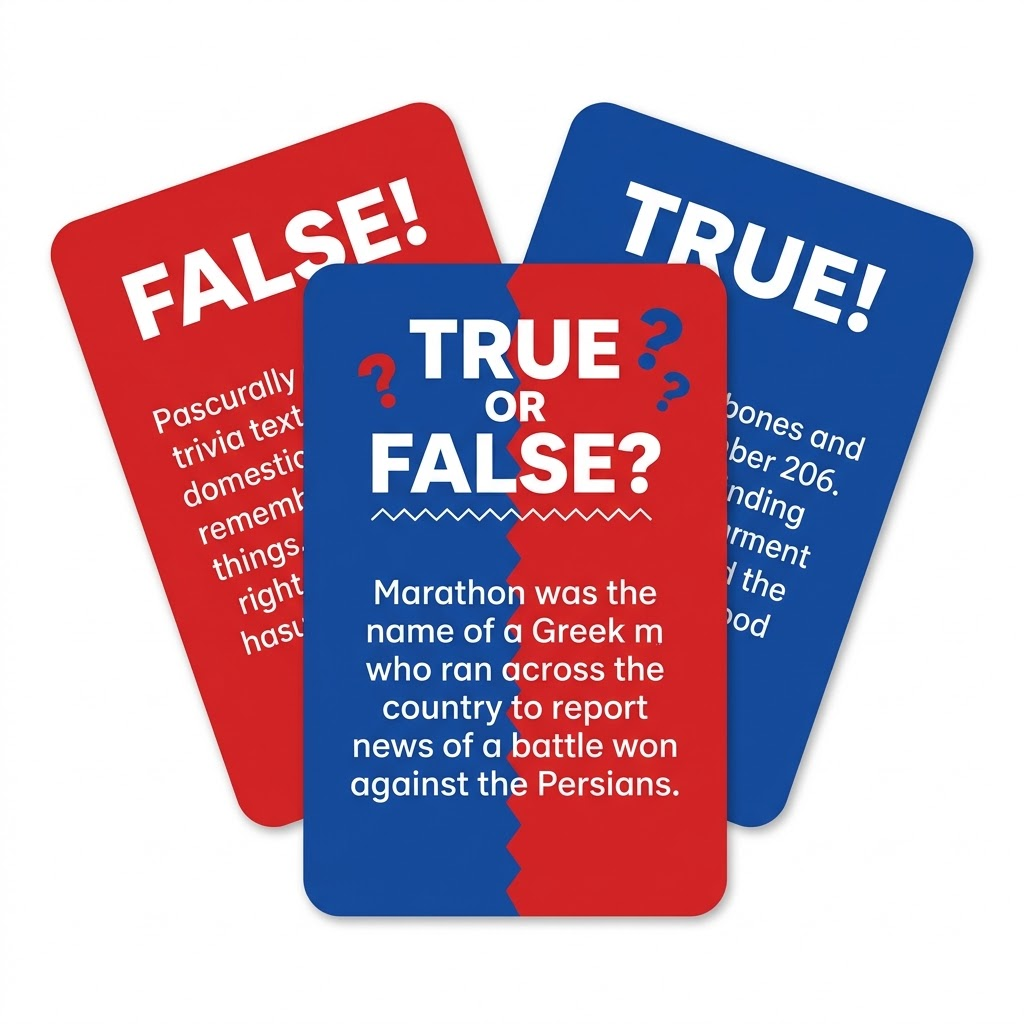
A True or False Question is the simplest possible choice-based format: exactly two options, and exactly one is correct.
Example:
The Great Wall of China is visible from space with the naked eye.
(For the record: it isn’t, at least not without aid — a commonly repeated myth that happens to make a decent example of why fact-checking your own question bank matters.)
True or False Questions are fast to write and fast to answer, which makes them useful for quickly covering a lot of ground. The tradeoff is guessing risk. With only two options, a coin flip already gets it right half the time, so a single True or False Question proves very little about what someone actually knows. They earn their keep in volume — ten or fifteen rapid-fire True or False Questions in a row tell you a lot more than one does on its own, and they’re a good way to keep a quiz moving quickly between denser Single Choice or Multiple Choice questions.
Best for: fast fact-checks, warm-up questions, quick comprehension checks, and pacing — breaking up a quiz that’s otherwise full of longer, more demanding question types.
In QuizPress: True/False is free, and functions the same way whether it’s used on its own or mixed into a longer quiz alongside other choice-based formats.
4. Dropdown Questions (Select Type)
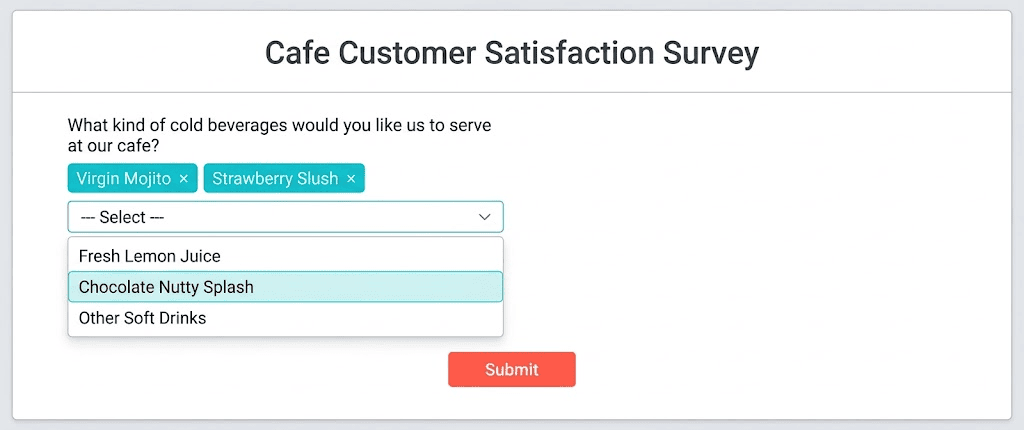
Dropdown Questions work like Single Choice — pick exactly one correct answer — but the options are shown in a collapsed select menu instead of a visible list. The respondent has to click or tap to open the list before choosing.
Example:
Which country do you currently live in? [Dropdown menu with 190+ country options]
That example is exactly the scenario Dropdown Questions exist for: a long, structured list where laying out every option as visible radio buttons would be unusable. Nobody wants to scroll past 190 radio buttons to find “Germany.” A dropdown collapses that into one click.
The tradeoff runs the other way for short lists. If a question only has three or four options, a dropdown adds an extra click for no real benefit over just showing them — hiding options that could have been visible usually makes a quiz feel slower, not more polished.
Best for: long, structured, low-ambiguity lists — countries, states/provinces, job titles, product categories, age brackets.
In QuizPress: this is the one exception here. Dropdown is Pro-only — disabled on a free install, selectable once a license is active. The full setup walkthrough for Dropdown, alongside the other two Pro-tier text formats (Fill in the Blanks and File Upload), is covered in a separate guide built specifically for those three question types.
How Multiple Choice Questions Get Graded
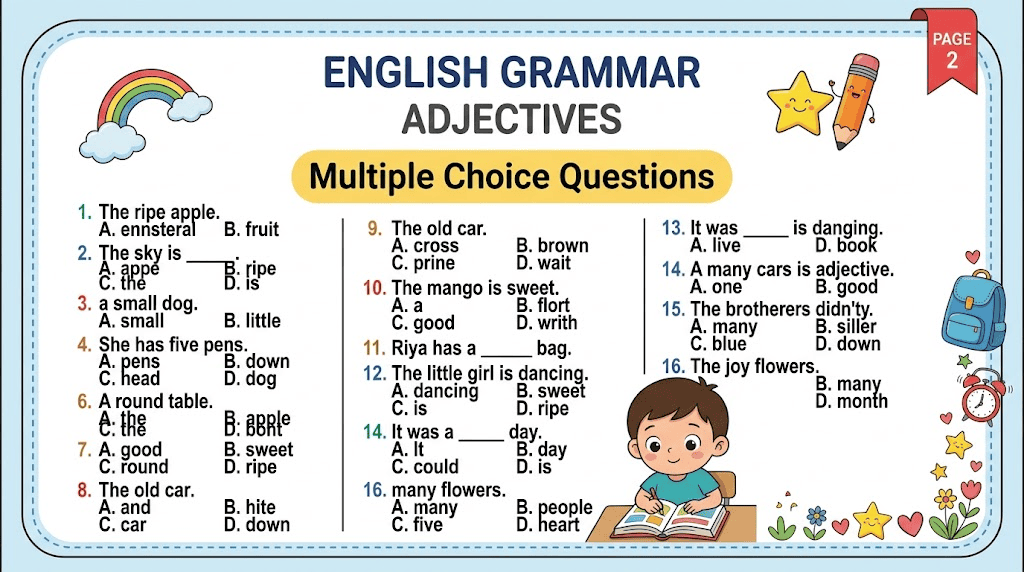
This is the part most “types of questions” articles skip entirely, because it only matters once you’re actually building a quiz rather than just reading about the concept. It’s also where the real differences between quiz tools show up.
Single Choice and True/False use binary grading. The respondent’s selected option either matches the correct answer or it doesn’t. Full points or zero — there’s no partial credit because there’s no partial answer possible in a single-answer question.
Multiple Choice (multi-select) uses partial-credit grading, at least in QuizPress, as covered above — not every tool does it this way. Some grade multi-select all-or-nothing, where missing even one correct option zeroes the whole question, so it’s worth checking which model a tool uses before building a scored exam around it.
Dropdown grading, in QuizPress, runs through the same premium grading engine as the other Pro question types. A free install can display and collect answers for a Dropdown question, but scoring it correct or incorrect requires an active license — which lines up with Dropdown being a Pro-only type in the first place.
Negative marking is available as an optional setting on top of any of these — a wrong answer can be configured to subtract points rather than simply scoring zero, which discourages blind guessing on exam-style quizzes.
Answer randomization shuffles option order on each attempt, so someone who’s already seen the quiz (or a screenshot of it) can’t pattern-match on position instead of actually reading the question. A reusable question bank adds a second layer on top of that, pulling a random subset of questions from a larger pool per attempt instead of showing everyone the same fixed set.
How to Write Multiple Choice Questions People Can’t Just Guess
A quiz is only as good as its questions, and choice-based formats have a specific failure mode: badly written distractors turn a knowledge test into a reading-comprehension test, or worse, a lucky-guess test.
Give every question exactly one unambiguous correct answer. If two options could both be defended as “sort of correct,” the question is broken, not the respondent.
Make every distractor plausible. A wrong answer that’s obviously silly (“What year did World War II end? A) 1945 B) 2087 C) Yesterday”) isn’t really an option — it’s a freebie that inflates guessing accuracy. Good distractors represent common misconceptions or near-misses, not random noise.
Keep options similar in length and structure. Test-takers are pattern-matchers by instinct. If the correct answer is consistently the longest, the most specific, or the only one phrased in complete sentences, people will learn to spot it without knowing the material.
Avoid “all of the above” and “none of the above” as a crutch. They’re often used to pad out a weak set of distractors, and they change the logic of the question in a way that can accidentally make it easier (spot two correct-looking options and “all of the above” becomes an obvious guess) or unfairly harder.
Watch for grammatical giveaways. If the stem ends in “an” and only one option starts with a vowel, the grammar just answered the question for you. Small mismatches like this leak the answer more often than question-writers expect.
Don’t over-inflate the option count. More options doesn’t automatically mean a harder or better question — Haladyna and Downing’s frequently cited research on multiple-choice test construction found that three-option questions perform about as well as four- or five-option ones, while taking respondents slightly less time to answer. Beyond three well-built options, most question-writers are just adding filler distractors that don’t sharpen the test.
Avoid stacking negatives. “Which of the following is NOT an example of a renewable resource?” is a legitimate question format, but stacking a second negative on top of it (“Which of the following is NOT an unlikely…”) turns a knowledge question into a logic puzzle. If a negative phrasing is necessary, bold or capitalize the “NOT” so it isn’t missed on a skim.
Test it on someone who doesn’t already know the answer. The fastest way to catch an ambiguous question or a giveaway option is to hand it to someone cold and watch where they hesitate.
Single Choice vs Multiple Choice vs True or False vs Dropdown: When to Use Each
Choosing the right choice-based question type isn’t really about which one is “best” — it’s about matching the format to what you’re actually trying to measure.
Testing recall of one specific fact, quickly. A Single Choice Question or a True or False Question is the right call here. Both are fast to answer and fast to grade, and neither format leaves room for a “sort of correct” answer.
Testing whether someone can identify several correct items out of a set. This is exactly what Multiple Choice (multi-select) is built for — ingredients in a recipe, symptoms of a condition, valid HTTP status codes, whatever the domain. A Single Choice Question forces an artificial pick-one framing onto something that genuinely has multiple right answers, which produces a worse question, not a simpler one.
Collecting a long, structured answer like a country, state, or job title. Dropdown Questions exist specifically for this. Trying to force a long list into Single Choice buttons makes the quiz feel cluttered and slow to scan, especially on mobile.
Building a graded certification exam. A mix works best here: True or False and Single Choice for quick fact-checks that keep the pace moving, Multiple Choice for the questions that genuinely test deeper understanding, and negative marking turned on if guessing needs to carry a real cost.
Building a lead-generation quiz or a quick feedback survey. Single Choice and True or False both keep response time low and branching logic simple — each answer maps to one clear next step, which matters more for completion rates than depth does.
Advantages and Limitations of Multiple Choice Quizzes
The advantages are why this format dominates online quizzes. Choice-based questions grade themselves instantly with zero manual review, scale to any number of respondents at the same cost, produce consistent and objective results, and aggregate into analytics trivially — “68% picked option B” is a one-line calculation, not a research project.
The limitations are worth stating plainly. A choice-based question tests recognition, not production — spotting the right answer in a list is a different, easier skill than producing it from memory. Guessing is always possible, and multiple choice can reward pattern recognition over real understanding when distractors are weak. A badly written question is graded just as confidently as a well-written one, so a quiz is only as reliable as the care that went into writing it.
None of that makes multiple choice a worse format than open-ended questions — it’s a different tool for a different job, which is why most real-world quizzes mix the two rather than choosing one exclusively.
How to Build a Multiple Choice Quiz in WordPress (Step-by-Step)
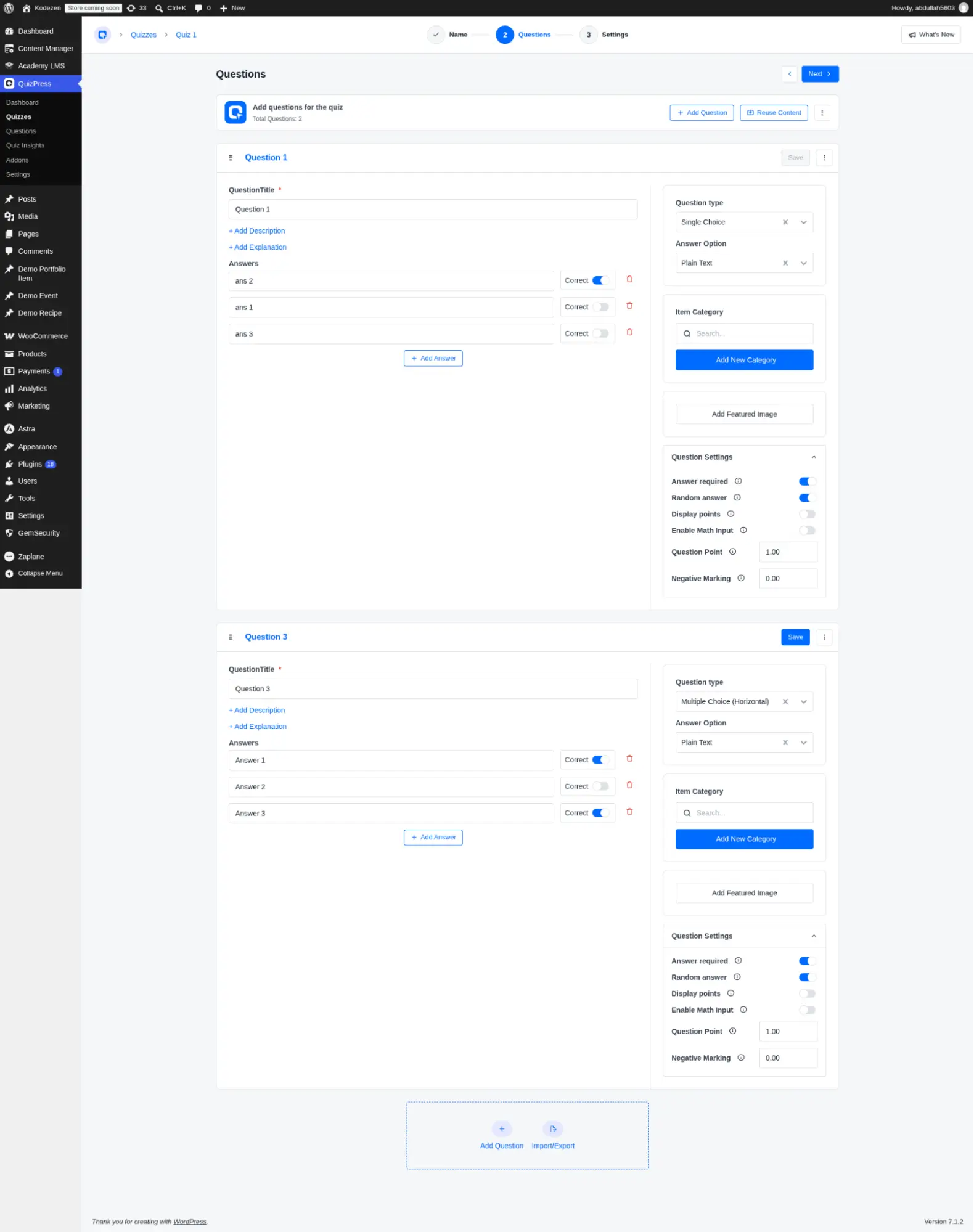
This is the part where the format stops being theoretical. Here’s exactly how to set one up, using QuizPress as the example plugin.
Step 1 — Install and activate the plugin. If it isn’t installed yet, that process (including the difference between the free version and adding a Pro license afterward) is covered step by step in the installation and license activation guide.
Step 2 — Create a new quiz. From the QuizPress dashboard, starting a new quiz just needs a title and a format (quiz, exam, survey, or poll) — the exact clicks are laid out in the documentation on creating a quiz, and the fuller end-to-end walkthrough, covering settings and publishing beyond just the first few steps, lives in the complete guide to creating a quiz in WordPress without coding.
Step 3 — Add a question and pick a question type. The question type dropdown groups Single Choice, Multiple Choice (plus their horizontal variants), True/False, and Dropdown together under a “Choice” category — the same grouping this guide has used throughout.
Step 4 — Add the answer options and mark the correct one(s). For Single Choice and True/False, mark exactly one option as correct. For Multiple Choice, mark every option that should count as correct — remember that the point value automatically splits across however many correct answers are marked.
Step 5 — Set the scoring rules. Assign a point value per question, and optionally enable negative marking if wrong answers should cost points rather than just scoring zero.
Step 6 — Turn on randomization if it’s needed. Randomizing answer order is a per-question toggle. If the quiz is pulling from a larger pool of questions rather than using a fixed set, that’s where a reusable question bank comes in — and if questions need to be added in bulk rather than one at a time, importing and exporting quiz questions handles that.
Step 7 — Preview, publish, and check results. Quizzes publish as a block or shortcode that drops into any page or post. Preview the flow as a respondent would see it, then publish — attempts, scores, and answer distributions show up in the analytics dashboard afterward.
None of this requires writing code or hiring a developer — the whole flow happens inside the standard WordPress admin.
Common Mistakes When Building a Multiple Choice Quiz
Defaulting to four or five options out of habit. As covered above, three well-written options usually test just as effectively and take less time to answer than padding out to five weak ones.
Forgetting that Multiple Choice questions need every correct answer marked, not just one. A multi-select question with only one correct answer marked will score every other genuinely-correct selection as wrong, which produces confusing, unfair results.
Never turning on answer randomization. If a quiz gets shared, screenshotted, or retaken, fixed answer positions turn into a memorization shortcut that has nothing to do with the material.
Treating True or False as a full question type on its own. A quiz made entirely of True or False Questions is easy to guess through with a passing score by pure chance. It works best mixed in alongside Single Choice and Multiple Choice, not as the whole quiz.
Skipping negative marking on a quiz where guessing shouldn’t be free. For casual or fun quizzes, this doesn’t matter. For certification, hiring assessments, or anything where the score needs to mean something, it usually should.
Where This Leaves You
Every one of the four choice-based formats covered here — Single Choice, Multiple Choice, True or False, and Dropdown — solves a slightly different problem, and a good quiz usually mixes several rather than leaning on just one.
The honest gap worth repeating: if a quiz specifically needs Dropdown Questions, that’s the one format here that isn’t part of the free plugin. Everything else — Single Choice, Multiple Choice with partial-credit grading, and True/False — is available without a license. The full feature list and pricing cover exactly where that line sits, including the 14-day money-back window if Dropdown turns out not to be the right fit. For the bigger picture beyond choice-based formats — all nineteen question types QuizPress supports — the complete breakdown of every WordPress quiz question type is the place to start.
Frequently Asked Questions
What is a multiple choice quiz?
A multiple choice quiz is a quiz built from choice-based questions — each question presents a fixed list of answer options instead of an open text field, and the respondent selects from that list rather than typing a free-form answer.
What’s the difference between a Single Choice Question and a Multiple Choice Question?
A Single Choice Question has exactly one correct answer and lets the respondent pick only one option. A Multiple Choice Question (in its strict, multi-select sense) can have more than one correct answer, and the respondent is expected to select every option that applies.
Are True or False Questions a type of multiple choice question?
Three well-constructed options, per the research cited earlier in this guide — more only helps if the extra distractors are genuinely plausible, not just padding.
How many answer options should a multiple choice question have?
Single Choice and True/False questions are graded as a straightforward match against the correct answer — right or wrong, no partial credit. Multiple Choice (multi-select) questions can support partial credit instead, where each correct answer selected earns a proportional share of the total points. The exact behavior varies by quiz software, so it’s worth checking before assuming.
How is a multiple choice quiz graded automatically?
Single Choice and True/False questions are graded as a straightforward match against the correct answer — right or wrong, no partial credit. Multiple Choice (multi-select) questions can support partial credit instead, where each correct answer selected earns a proportional share of the total points. The exact behavior varies by quiz software, so it’s worth checking before assuming.
Can I build a multiple choice quiz in WordPress for free?
Yes. In QuizPress specifically, Single Choice, Multiple Choice, and True/False are all included in the free plugin with no license required. Dropdown, along with several more advanced question types like Fill in the Blanks and the seven Pro interactive formats, requires a paid license.
What’s the best question type for a certification exam?
Usually a mix rather than one format used exclusively — True or False and Single Choice for quick fact-checks that keep pacing tight, Multiple Choice for questions that need to test broader understanding, and negative marking enabled if the exam needs to actively discourage guessing rather than simply not rewarding it.